
Education
An SOP helps people follow the same steps every time they complete a task. It gives clear instructions, reduces confusion, and makes work more consistent across teams.
This guide explains what an SOP means, what it should include, and how to structure a simple SOP template that can be used for different types of work.
Key Takeaways
An SOP, or Standard Operating Procedure, is a step-by-step document that explains how a task or process should be completed.
A strong SOP should include the purpose, scope, roles, responsibilities, required tools, safety requirements, procedure steps, records, approvals, and version history.
The right standard operating procedure format depends on the purpose of the SOP and how the team will use it.
SOPs should be clear, practical, easy to follow, and written for the people who will actually use them.
A good SOP template helps teams create consistent procedures across departments, sites, and operations.
What Is SOP? SOP Meaning Explained
SOP stands for Standard Operating Procedure.
A Standard Operating Procedure is a documented set of instructions that explains how to complete a specific task, process, or activity in a consistent and approved way. In simple terms, an SOP tells people what to do, how to do it, who is responsible, and what records or checks are required.
SOPs are used across many industries, including manufacturing, healthcare, laboratories, construction, food production, logistics, quality management, safety, compliance, and general business operations.
The purpose of an SOP is to reduce confusion and make work repeatable. When everyone follows the same approved procedure, organizations can improve consistency, reduce errors, train employees more effectively, and maintain better control over daily operations.
Why SOPs Matter
Many teams rely on people’s experience, verbal instructions, or informal habits to get work done. That may work for a small team, but it becomes risky as the organization grows.
Without clear SOPs, the same task may be done differently by different employees, shifts, departments, or sites. This can lead to mistakes, safety gaps, quality issues, missed approvals, inconsistent training, and audit problems.
A good SOP helps prevent that by creating one clear standard for how work should be performed.
For operations teams, SOPs support process consistency. For safety teams, they help control risk. For quality teams, they support compliance and documentation. For managers, they make it easier to train, review, and improve work over time.
Start With the Purpose: What Do You Want to Use the SOP For?
Before deciding what an SOP should include, it is important to understand the purpose of the SOP.
Different SOPs serve different goals. A safety SOP may need hazard controls and emergency steps. A quality SOP may need inspection points and acceptance criteria. An onboarding SOP may need role-based tasks and training records. A maintenance SOP may need tools, equipment, shutdown steps, and verification checks.
So before writing, ask:
What process does this SOP cover?
Who will use it?
Why is this SOP needed?
What risk or problem does it help control?
What should the user be able to do after reading it?
What evidence or records need to be kept?
The purpose of the SOP should guide the structure, level of detail, and standard operating procedure format.
An SOP written for a frontline worker should be practical and easy to follow. An SOP written for audit or compliance purposes may need more formal approvals, references, and documentation controls. The best SOPs balance both: they are useful for the team and strong enough for compliance.
The best SOPs are practical. They focus on the steps, decisions, controls, and records that matter.
What Should an SOP Include?
A strong SOP should include all the information a user needs to complete a task correctly, safely, and consistently.
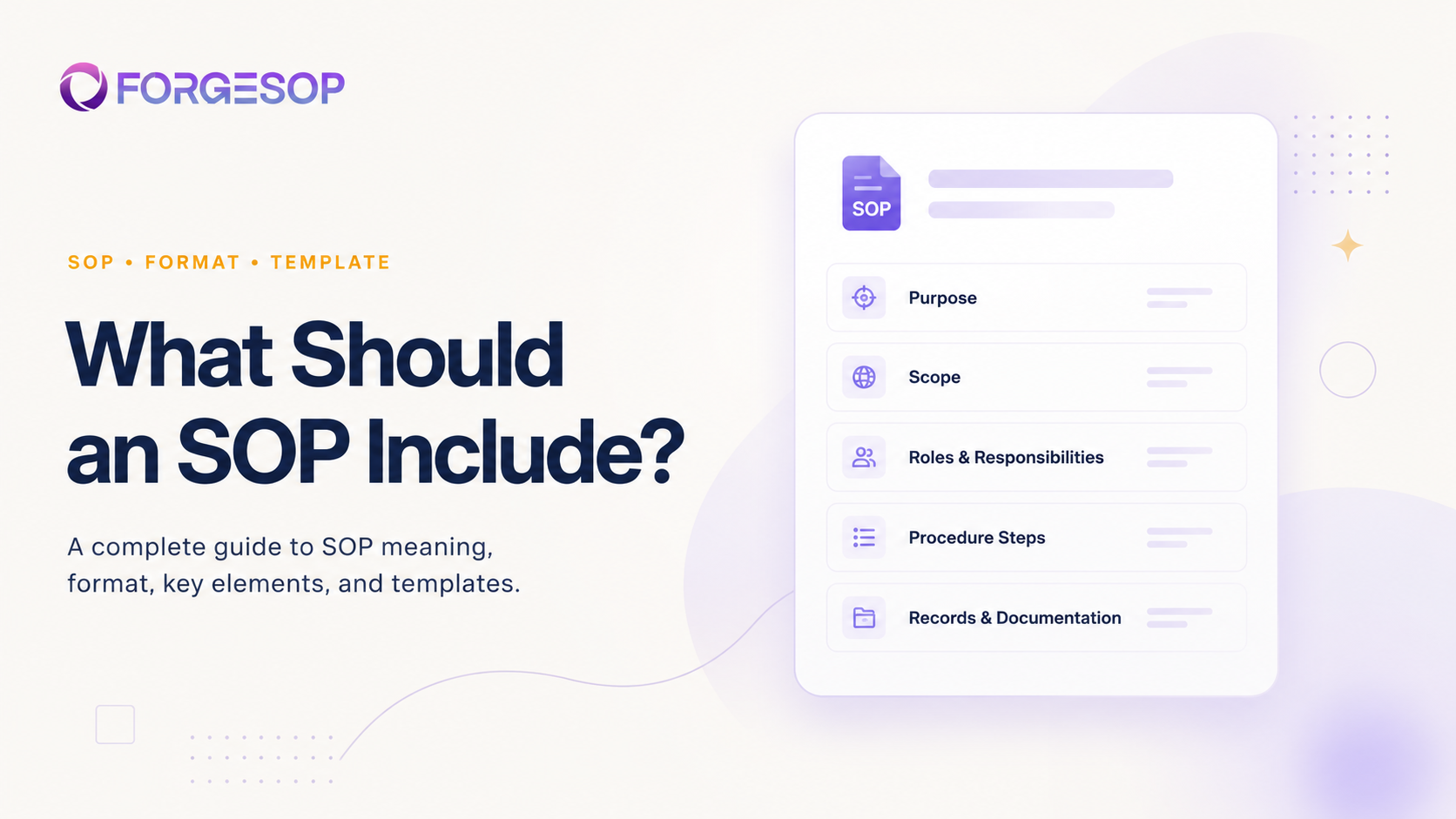
At a minimum, a standard operating procedure should include the following sections.
1. SOP Title
The title should clearly describe the process or task.
A good SOP title is specific. Instead of writing “Equipment Procedure,” use a clearer title such as “Forklift Pre-Use Inspection Procedure” or “Chemical Spill Response Procedure.”
A specific title helps users find the right SOP quickly and reduces confusion between similar procedures.
2. SOP Purpose
The purpose explains why the SOP exists.
This section should briefly describe the goal of the procedure and what it is meant to achieve. For example, the purpose may be to standardize a process, reduce safety risk, meet compliance requirements, improve quality, or guide employee training.
Example:
“The purpose of this SOP is to define the approved steps for conducting a daily equipment inspection before operation.”
A clear purpose helps users understand the value of the procedure, not just the steps.
3. Scope
The scope explains where, when, and to whom the SOP applies.
This section should define the departments, locations, teams, roles, equipment, activities, or situations covered by the SOP. It should also clarify what is not covered if there is a chance of confusion.
Example:
“This SOP applies to all warehouse employees and contractors who operate forklifts at Site A.”
Scope is important because many SOPs are role-specific or site-specific. Without a clear scope, employees may not know whether the procedure applies to them.
4. Roles and Responsibilities
Every SOP should explain who is responsible for completing the task, supervising the process, approving the work, reviewing the SOP, and maintaining related records.
This section may include responsibilities for operators, supervisors, managers, safety officers, quality teams, contractors, or document owners.
For example:
Operators may be responsible for following the procedure.
Supervisors may be responsible for verifying completion.
Managers may be responsible for ensuring training.
The SOP owner may be responsible for reviewing and updating the document.
Clear responsibilities improve accountability and reduce the chance of important steps being missed.
5. Definitions and Key Terms
If the SOP includes technical terms, abbreviations, equipment names, or compliance language, include a short definitions section.
This is especially useful for procedures used by new employees, contractors, or cross-functional teams.
For example, an SOP may define terms such as CAPA, PPE, lockout/tagout, deviation, nonconformance, batch record, permit-to-work, or inspection criteria.
Definitions help make the SOP easier to understand and reduce misinterpretation.
6. Required Tools, Equipment, or Materials
An SOP should list any tools, equipment, software, forms, checklists, materials, or documents needed to complete the task.
This helps users prepare before starting work.
For example, a maintenance SOP may include tools, spare parts, lockout devices, inspection forms, and PPE. A quality SOP may include measuring instruments, sampling containers, labels, and approval forms.
This section is especially helpful for tasks where missing one item can delay the process or create risk.
7. Safety, Quality, or Compliance Requirements
If the process involves safety risks, quality controls, regulatory requirements, or compliance obligations, the SOP should include them clearly.
For a safety SOP, this may include hazards, required PPE, emergency actions, isolation steps, or safe operating limits.
For a quality SOP, this may include acceptance criteria, inspection points, documentation requirements, or escalation steps.
For a compliance SOP, this may include required records, approvals, legal references, or audit evidence.
This section should not be overly complicated. The goal is to help the user understand what must be controlled before, during, and after the task.
8. Step-by-Step Procedure
The procedure section is the core of the SOP.
This is where the actual task is broken down into clear, logical steps. Each step should be written in the order the work is performed.
Good SOP steps should be:
Clear
Specific
Action-based
Easy to follow
Written in plain language
Free from unnecessary jargon
For example, instead of writing:
“Ensure equipment is suitable before use.”
Write:
“Inspect the equipment for visible damage, missing parts, leaks, or unusual noise before starting operation.”
Each step should tell the user exactly what to do.
For more complex tasks, the procedure can be divided into phases such as preparation, execution, verification, cleanup, and reporting.
9. Visuals, Diagrams, or References
Some procedures are easier to follow with visuals.
Photos, diagrams, icons, screenshots, flowcharts, tables, and examples can make an SOP more practical and user-friendly. Visuals are especially helpful for equipment setup, inspection points, software workflows, emergency response, and tasks with multiple decision points.
References may also be useful when the SOP connects to another policy, checklist, regulation, manual, or related procedure.
The key is to use visuals where they make the procedure easier to follow, not just to make the document look longer.
10. Records and Documentation Requirements
An SOP should explain what records need to be created, completed, submitted, stored, or reviewed.
This may include checklists, inspection forms, training records, approval logs, incident reports, maintenance records, batch records, audit evidence, or CAPA records.
This section should answer:
What record is required?
Who completes it?
Where is it stored?
How long should it be kept?
Who reviews or approves it?
Documentation requirements are important for audit readiness because they help prove that the procedure was followed.
11. Exceptions, Escalation, and Emergency Actions
Not every process goes exactly as planned. A useful SOP should explain what to do when something goes wrong.
This section may cover deviations, equipment failure, unsafe conditions, failed inspections, missing materials, quality issues, or emergency situations.
It should also explain when to stop work, who to notify, and how to report the issue.
For safety and compliance-related SOPs, this section is especially important because workers need clear instructions during high-pressure situations.
12. Review, Approval, and Version History
A standard operating procedure should include document control details.
This helps teams know whether the SOP is current, approved, and ready to use.
A strong SOP should include:
SOP number or document ID
Version number
Effective date
Review date
Prepared by
Reviewed by
Approved by
Document owner
Change summary
Revision history
Version control is one of the most important parts of SOP management. Without it, teams may accidentally follow outdated procedures.
A simple rule is this: if missing the information could lead to confusion, error, safety risk, compliance failure, or inconsistent work, include it.
If the information does not help the user perform the task or prove the process, it may not belong in the SOP.
Standard Operating Procedure Format
The best standard operating procedure format depends on the task, the industry, and the user.
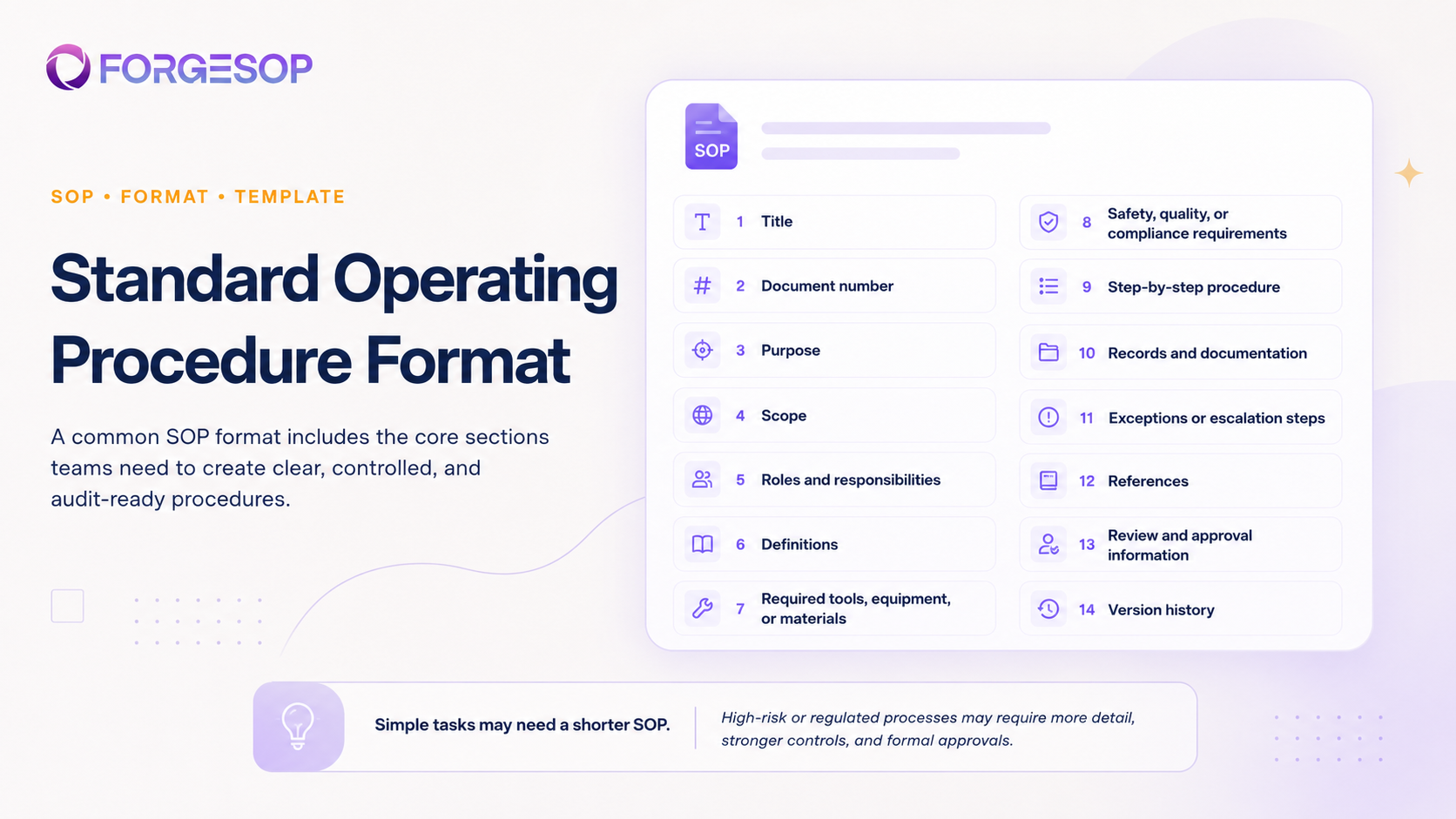
However, a common SOP format usually includes:
Title
Document number
Purpose
Scope
Roles and responsibilities
Definitions
Required tools, equipment, or materials
Safety, quality, or compliance requirements
Step-by-step procedure
Records and documentation
Exceptions or escalation steps
References
Review and approval information
Version history
This format works well for many operational, safety, quality, and compliance procedures.
For simple tasks, the SOP can be shorter. For high-risk or regulated processes, it may need more detail, stronger controls, and formal approvals.
How Digital SOP Management Helps
Creating an SOP is only the first step. Managing it properly is just as important.
Many organizations create SOPs in Word documents or PDFs and store them in shared drives. This can work for a while, but it often creates problems as teams grow. Employees may not know which version is current. Approvals may happen through email. Review dates may be missed. Outdated documents may remain in circulation.
Digital SOP management helps solve these problems by keeping SOPs controlled, searchable, and connected to daily work.
A digital SOP system can help teams manage version control, approvals, review schedules, role-based access, training acknowledgment, checklists, audit trails, and related CAPAs.
This makes it easier to keep SOPs current and easier to prove that procedures are being followed.
Final Thoughts
An SOP should do more than document a process. It should help people perform work correctly, safely, and consistently.
The best SOPs are clear, practical, controlled, and written for the people who use them. They explain the purpose of the task, define responsibilities, outline the required steps, identify important controls, and show what records must be kept.
Whether you are writing a safety SOP, quality SOP, operations SOP, or compliance SOP, the goal is the same: create a reliable standard that people can follow and the organization can prove.
A strong SOP format and template make that easier.
Frequently Asked Questions
What is SOP?
SOP stands for Standard Operating Procedure. It is a written document that explains how to complete a task, process, or activity in a consistent and approved way.
What is the meaning of SOP?
The meaning of SOP is Standard Operating Procedure. It refers to a step-by-step set of instructions that helps teams perform work correctly, safely, and consistently.
What should an SOP include?
An SOP should include the title, purpose, scope, roles and responsibilities, definitions, required tools or materials, safety or quality requirements, step-by-step procedure, records, escalation steps, approvals, and version history.
What must an SOP contain?
An SOP must contain enough information for the user to complete the task correctly. At minimum, it should contain the purpose, scope, responsible roles, procedure steps, required controls, documentation requirements, approval details, and version history.
What must an SOP include for compliance?
For compliance, an SOP should include approval records, version history, review dates, document owner, required records, training or acknowledgment requirements, and any relevant safety, quality, or regulatory controls.
What needs to be included in a standard operating procedure?
A standard operating procedure should include what the process is, who it applies to, who is responsible, what steps must be followed, what tools or controls are required, what records must be kept, and when the procedure should be reviewed.
What is the standard operating procedure format?
A common standard operating procedure format includes title, document number, purpose, scope, responsibilities, definitions, materials, safety or compliance requirements, procedure steps, records, references, approvals, and revision history.
How do you write an SOP template?
To write an SOP template, create a reusable structure with sections for title, purpose, scope, responsibilities, required materials, procedure steps, records, approvals, and version history. Then use that template for each new SOP to keep procedures consistent.
For which purpose do you want to use the SOP?
The purpose of the SOP depends on the process. SOPs may be used for safety, quality control, employee training, compliance, audits, maintenance, operations, incident response, or process standardization. The purpose should guide what information the SOP includes.
How long should an SOP be?
An SOP should be long enough to explain the task clearly, but short enough to be practical. Simple tasks may need one or two pages, while high-risk or regulated processes may require more detail.
Who should approve an SOP?
An SOP should usually be approved by the process owner, supervisor, manager, quality team, safety team, compliance team, or another responsible authority depending on the process and industry.
How often should SOPs be reviewed?
SOPs should be reviewed regularly and whenever there is a process change, equipment change, incident, audit finding, regulatory update, or change in responsibility.
General

Forge better processes
One platform. Always audit-ready.
Bring SOPs, checklists, audits, incidents, and CAPAs into one connected system for safer, clearer, and more consistent operations.
No credit card required · Built for teams that run on process