General
Back to Blog
General5 min read
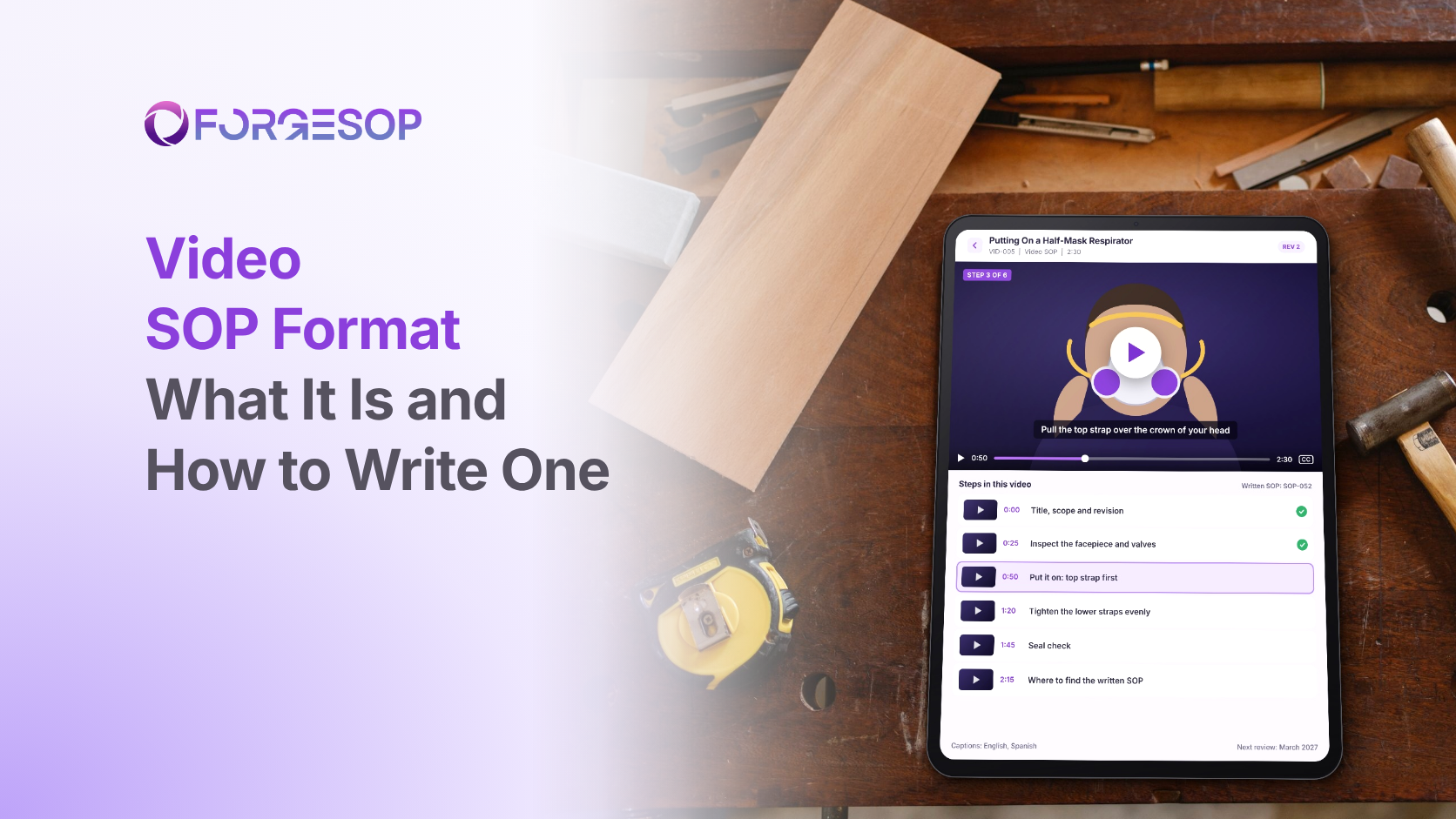
Video SOP Format: What It Is, an Example, and How to Write One
A written procedure tells a new starter to "pull the top strap over the crown of the head and tighten the lower straps evenly". She reads it twice and still isn't sure what evenly looks like. A 30-second clip of an experienced colleague doing it would have answered the question.
Some tasks are about movement, timing and feel. Words struggle to carry those.
The video format records a task being done correctly, so people can watch it rather than imagine it. It is one of the eight types of SOP formats, and in this article, we cover what a video SOP is, when to use one, what the rules say, a worked example and how to make one in six steps.
Key takeaways
A video SOP records a competent person doing a task, with narration or captions, step by step.
Use it when motion, timing or technique matters, such as fitting a respirator or lifting safely.
Keep each clip to one task and under about three minutes, and pair it with a written SOP that carries the approved steps.
Control a video like any SOP, with an owner, a revision number and a review date shown on screen.
What is the video SOP format?
A video SOP is a standard operating procedure (SOP) delivered as a short recording. A competent person does the task at normal speed, with close-ups of the key moments, while captions or narration name each step.
Video shows things no other format can: how hard to pull, how fast to move, what a correct seal feels like and how a smooth lift looks from start to finish.
The catch is upkeep. A video is hard to skim, hard to search and costly to change. One edited line in a written SOP can mean a full reshoot.
When should you use the video format?
Use a video SOP when motion matters. Good examples include:
putting on and checking a respirator
safe lifting and patient handling
knife skills and food preparation
operating machine controls in sequence
putting on and taking off protective clothing
software walkthroughs
Choose something else when the task changes often, because every change means a reshoot. Choose something else too when the task is built on decisions, which suit a flowchart, or when the reader only needs to find a location, which a graphic SOP handles with a single photo.
Is a video enough on its own?
Usually not. The Occupational Safety and Health Administration (OSHA) has said in a 2004 interpretation letter on hazardous waste operations training that computer-based training by itself would not be sufficient. It should be supplemented by the chance to ask questions of a qualified trainer and by hands-on practice with the equipment.
OSHA's 2010 training policy statement adds that employers must instruct employees in a language and vocabulary they can understand. For video, that means captions in the languages your workforce actually uses.
The takeaway: treat a video as one format inside a procedure, not as the whole training program.
Video SOP example
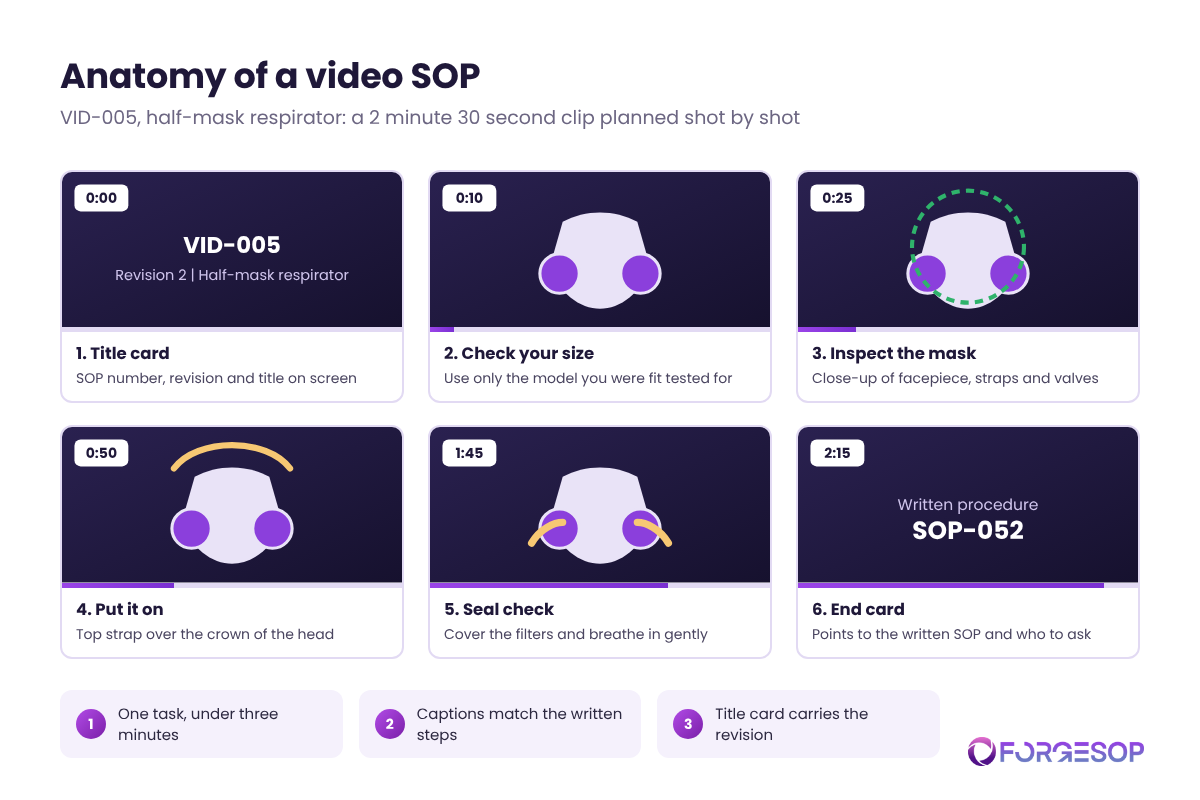
A video SOP starts on paper, as a shot list. Here is one for a short clip.
VID-005: Putting On a Half-Mask Respirator (about 2 minutes 30 seconds)
Time | Shot | Caption or narration
|
|---|---|---|
0:00 | Title card | VID-005, revision 2. Putting on a half-mask respirator. |
0:10 | Worker holds the respirator | Use only the model and size you were fit tested for. |
0:25 | Close-up of facepiece and valves | Check the facepiece, straps and valves for damage. |
0:50 | Mask placed over nose and mouth | Pull the top strap over the crown of your head. |
1:20 | Close-up of lower straps | Fasten the lower straps behind your neck and tighten them evenly. |
1:45 | Hands cover the filters | Cover the filters and breathe in gently. The mask should pull in slightly. |
2:15 | End card | Written procedure: SOP-052. Questions? Ask your supervisor. |
The fit test mentioned at 0:10 is not optional. OSHA's respiratory protection standard requires fit testing before a tight-fitting respirator is first used and at least once a year after that. The video reminds the viewer. It doesn't replace the test.
How to make a video SOP in 6 steps
Start from the approved written SOP. The steps in the written procedure become the script. Never film first and write later.
Write a shot list. Plan each shot, its caption and its timing before anyone picks up a camera.
Film a real worker on real equipment. Shoot from the worker's eye level, with close-ups for the moments that matter.
Keep it short. One task per clip, ideally under three minutes. Split anything longer into a series.
Add captions and step numbers. Match the numbers to the written SOP, and caption in every language your team uses.
Put the clip under document control. Show the SOP number, revision and date on the title card, and retire old versions when the procedure changes.
A video goes stale faster than you think
Video SOPs fail in a few common ways:
One long video for everything. A 20-minute clip is a training course, not a procedure.
Clips with no version. Videos saved to shared drives or video sites often have no revision number, so nobody knows which is current.
Drift from the written SOP. The procedure changes, the video doesn't, and now they disagree.
No captions. Noisy floors and mixed languages make narration alone unreliable.
The fix is to manage each video as part of its procedure. Purpose-built SOP management software keeps the clip, the written steps and the review date together, so a change to one triggers a check of the other.
Which formats pair well with video?
A graphic SOP turns key frames from the video into a printed sheet for the point of use.
A checklist confirms the critical steps on the job, once the video has taught the technique.
See all eight compared in our guide to types of SOP formats.
The bottom line
Video is the best format for showing technique, and the hardest one to keep current. Used for the right tasks, kept short and controlled like any other SOP, it closes gaps that text and photos can't.
Choose one task where people keep asking to be shown, write the shot list, and film it in a single morning.
Frequently asked questions
How long should a video SOP be?
Under about three minutes for a single task. If a video runs longer, split it into a series of short clips, each matched to a section of the written SOP.
Can a video replace a written SOP?
No. The written SOP is the approved, auditable version of the steps. The video shows how to carry them out and should always point back to it.
Does OSHA accept video training?
OSHA accepts video and computer-based training as part of a program, but it has said such training alone is not sufficient for some standards. Workers also need a chance to ask questions of a qualified trainer and hands-on practice where the standard calls for it.
Want every SOP in one place, whatever its format? ForgeSOP keeps your procedures versioned, acknowledged, and reviewed on schedule, so the steps people follow are always the current ones.
General
Forge better processes
One platform. Always audit-ready.
Bring SOPs, checklists, audits, incidents, and CAPAs into one connected system for safer, clearer, and more consistent operations.
No credit card required · Built for teams that run on process