General
Back to Blog
General5 min read
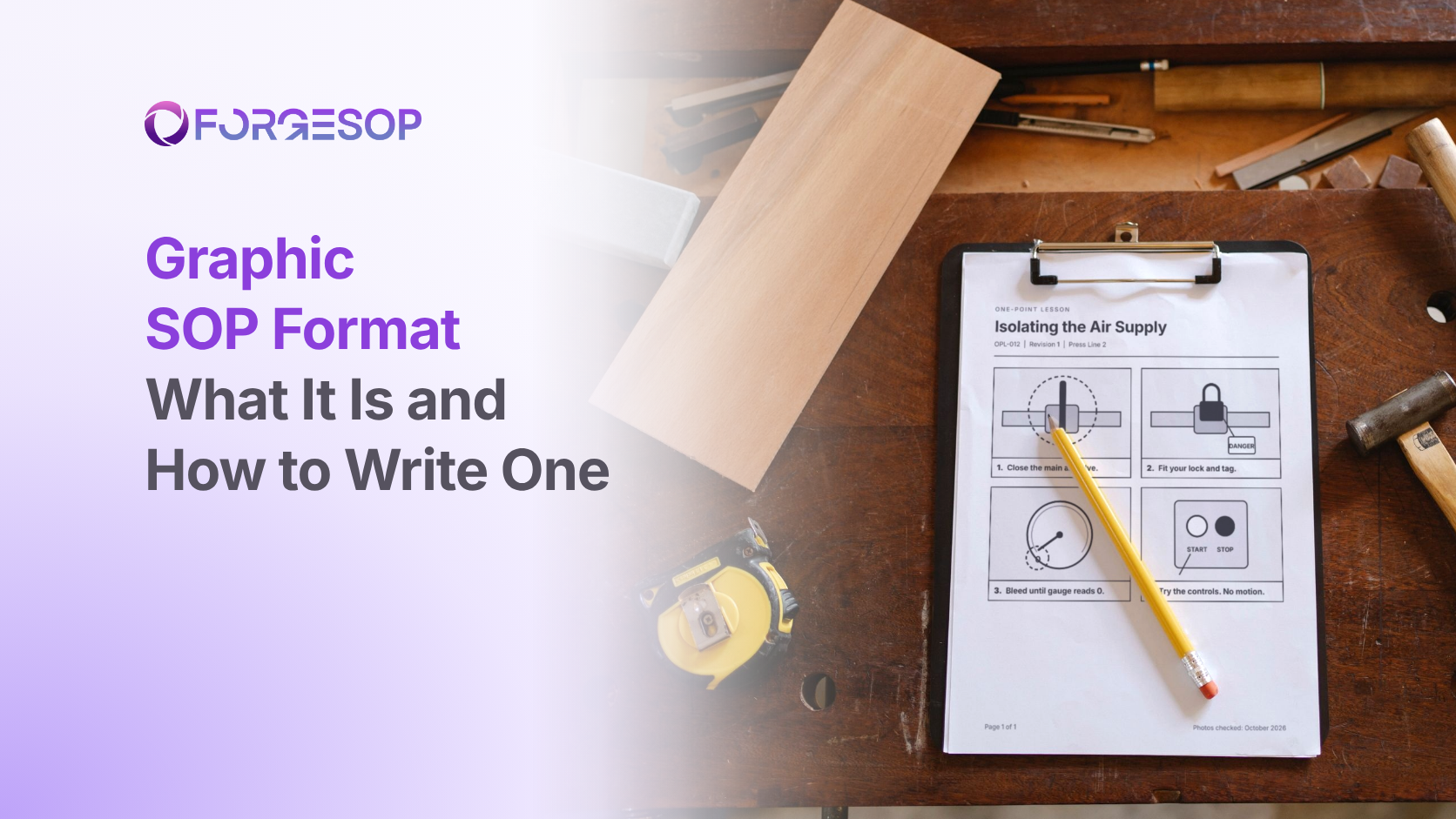
Graphic SOP Format: What It Is, an Example, and How to Write One
A maintenance procedure tells a technician to isolate "the quarter-turn ball valve on the left-hand compressed air drop, behind the rear guard". He has worked at the site for two weeks, and English is his second language. There are three valves behind that guard.
A single photo with a red circle would have settled it in a second.
That is the job of the graphic format. It is one of the eight types of SOP formats, built for the moments when words fall short. In this article, we cover what a graphic SOP is, why it works, when to use it, a worked example and how to write one in six steps.
Key takeaways
A graphic SOP shows each step as a photo or diagram with a short caption. In manufacturing, these are often called visual work instructions or one-point lessons.
Use it when the reader has to find, match or position something: a valve, a lockout point, a part or a finished result.
Take one photo per step, mark the part that matters, and keep each caption to one line that starts with a verb.
Photos go out of date when equipment changes, so date them and review them like any other content.
What is the graphic SOP format?
A graphic SOP is a standard operating procedure (SOP) in which pictures carry the main message and words support them. Each step pairs one image with one short caption. The reader matches what they see on the page to what they see in front of them.
The format comes in a few common forms:
Visual work instructions, which walk through a task one photo at a time
One-point lessons, which cover a single point on a single sheet, such as how to read one gauge
Comparison sheets, which show acceptable and unacceptable work side by side
A graphic SOP can stand alone or sit inside another format, such as photos of each isolation point under one main step of a hierarchical SOP.
Why do pictures carry further than words?
Reading levels and languages vary on every site. According to the National Center for Education Statistics (NCES), the share of US adults scoring at the lowest literacy levels in an international survey of adult skills rose from 19% in 2017 to 28% in 2023. The US Bureau of Labor Statistics (BLS) reports that foreign-born workers made up 19.1% of the US civilian labor force in 2025.
The Occupational Safety and Health Administration (OSHA) has been clear on its side of this. Its 2010 training policy statement says employers must instruct employees in a language and vocabulary they can understand.
Pictures don't replace that duty. They do make every procedure easier to follow, whatever language the reader thinks in.
When should you use the graphic format?
The writing guide Penn State published for dairy farm businesses in 2001 suggests a hierarchical or graphic format for tasks of more than ten steps with no decisions. In practice, graphics earn their place when the reader needs to:
find something, such as a valve, a switch or a lockout point
match a position, such as a handle angle, a gauge reading or a setting
assemble something in the right order and orientation
judge quality against examples of good and bad work
work across languages on a mixed-language team
Choose something else for tasks built on decisions, which suit a flowchart, or for abstract tasks such as approvals, where there is nothing physical to photograph.
Graphic SOP example
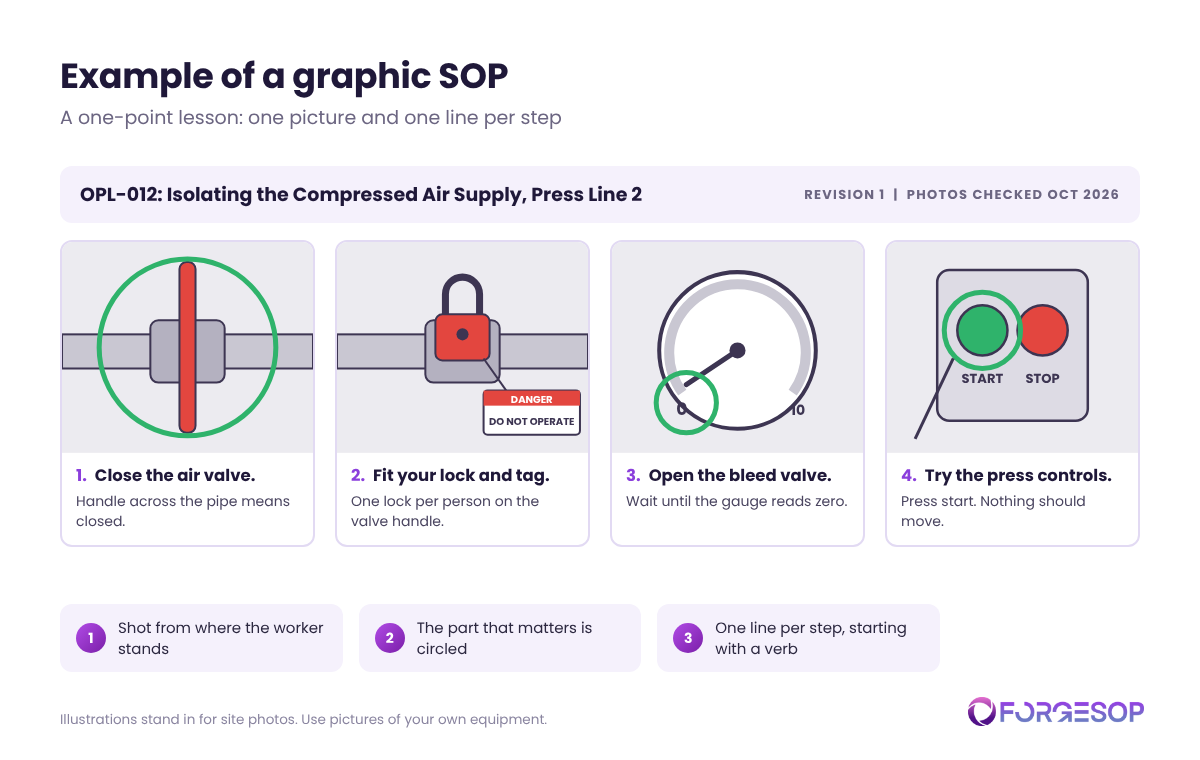
Here is the opening scenario rebuilt as a one-point lesson.
OPL-012: Isolating the Compressed Air Supply, Press Line 2
Close the main air valve. The handle sits across the pipe when closed.
Fit your lock and tag to the valve handle.
Open the bleed valve until the gauge reads zero.
Try the press controls. Nothing should move.
Each step gets one picture, taken from where the technician stands, with the part that matters circled. The full energy control procedure sits behind this sheet. Our guide to safety SOPs covers lockout in more depth.
How to write a graphic SOP in 6 steps
Shoot the real equipment. Stock images and generic drawings don't show your valve on your machine.
Take one photo per step, from the worker's viewpoint. Stand where the person doing the job stands, at their eye level.
Mark what matters. Use a circle or an arrow, and keep the colors consistent, such as green for correct and red for wrong.
Write a one-line caption that starts with a verb. If the caption needs a paragraph, the photo isn't doing its job.
Show good and bad side by side wherever the reader has to judge quality.
Date every photo and test the sheet. Hand it to someone new, watch them use it, and plan to retake the photos when the equipment changes.
An outdated photo misleads as much as an outdated paragraph
Graphic SOPs carry their own risks:
Decorative photos. A picture of the whole machine doesn't help someone find one valve.
Cluttered images. Crop tight and remove anything that doesn't belong.
Long captions. They push the reader back to reading, which defeats the purpose.
Photos that no longer match. After a refit or a new model, an old photo points people to the wrong place.
No record of when a photo was taken. Images pasted into a document lose their history, so nobody knows if they are current.
Treat photos as controlled content, with an owner and a review date like the text around them. Purpose-built SOP management software keeps images and text in one versioned procedure, so an update to one is reviewed alongside the other.
Which formats pair well with graphics?
A video SOP shows motion and technique that still images can't.
Simple steps carry the written order of a task, with photos added where words fall short.
For all eight formats in one place, see our guide to types of SOP formats.
The bottom line
When a procedure asks people to find, match or position something, a picture does the job faster than any sentence. It also reaches readers your written SOPs may be missing.
Walk your site with a phone, photograph the five points people most often get wrong, and turn them into one-point lessons.
Frequently asked questions
What is a one-point lesson?
A one-point lesson is a single sheet that teaches one point, such as how to read a gauge or where a lockout point is. It is usually mostly pictures with a few words and is posted where the work happens.
Are visual work instructions the same as SOPs?
They are one format of SOP. Visual work instructions present the steps as photos with captions, but they still need the same control as any procedure: an owner, a version and a review date.
Do graphic SOPs replace training in the worker's language?
No. OSHA expects training in a language and vocabulary workers can understand. Graphic SOPs support that training and make procedures easier to follow, but they don't replace it.
Want every SOP in one place, whatever its format? ForgeSOP keeps your procedures versioned, acknowledged, and reviewed on schedule, so the steps people follow are always the current ones.
General
Forge better processes
One platform. Always audit-ready.
Bring SOPs, checklists, audits, incidents, and CAPAs into one connected system for safer, clearer, and more consistent operations.
No credit card required · Built for teams that run on process