General
Back to Blog
General6 min read
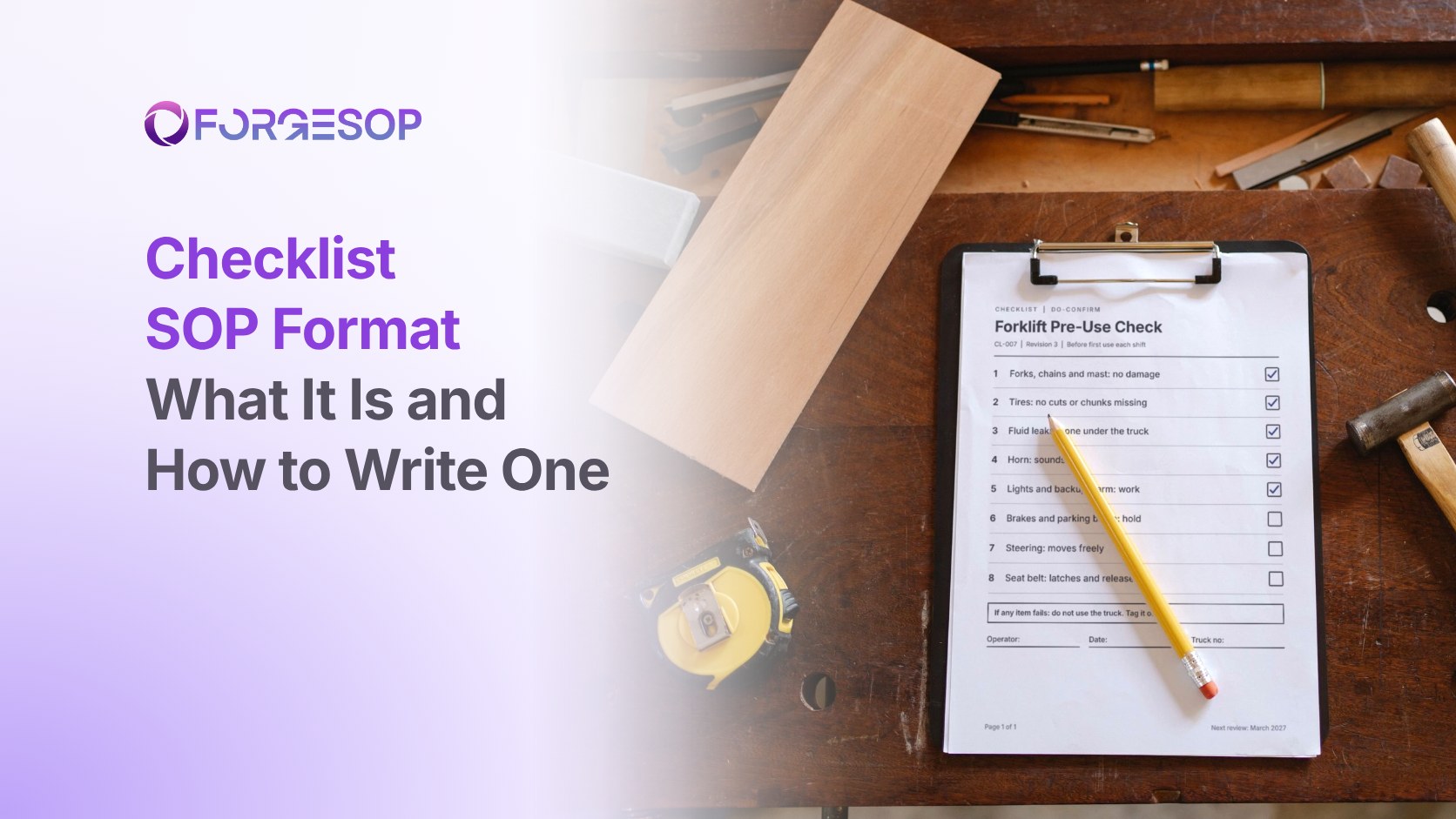
Checklist SOP Format: What It Is, an Example, and How to Write One
A forklift operator has done the same pre-use check a thousand times. On a busy Monday, with a truck waiting at the dock, he walks round the forklift, glances at the forks and climbs in. He never tested the horn. It hasn't worked since Friday.
He knew the procedure. He just skipped a step under pressure.
That is the problem the checklist format is built for. A checklist does not teach a task. It catches the step that gets missed on a busy day. It is one of the eight types of SOP formats, and in this article, we cover what it is, why it works, a worked example and how to write one in six steps.
Key takeaways
A checklist SOP turns the critical points of a task into items a person ticks off as each one is done or verified.
There are two kinds: read-do, where you do each item as you read it, and do-confirm, where you work from memory and then pause to confirm.
Keep each pause point short, write every item with a pass condition, and say what to do when an item fails.
A checklist backs up the full procedure. It does not replace it.
What is the checklist SOP format?
The checklist format is a short list of items, each with a box to tick, drawn from a full standard operating procedure (SOP). It leaves out everything a trained person does without thinking and keeps only the steps that are critical and easy to miss.
Surgeon Atul Gawande popularized two kinds of checklist in his 2009 book The Checklist Manifesto, drawing on how Boeing designs checklists for pilots:
Read-do: you read each item and then do it, like following a recipe. This suits tasks done rarely or under stress.
Do-confirm: you do the work from memory, then stop at a set point and confirm each item was done. This suits experienced teams doing frequent tasks.
The same guidance suggests keeping each list to roughly five to nine items, so it can be completed at a natural pause without slowing the work down.
Why does the checklist format work?
The strongest evidence comes from surgery. In a study published in the New England Journal of Medicine in 2009, eight hospitals in eight cities introduced a 19-item surgical safety checklist. Among the 3,733 patients before the checklist and the 3,955 after, the share with a major complication fell from 11.0% to 7.0%, and deaths fell from 1.5% to 0.8%.
The surgical teams already knew every step on that list. The checklist changed the format, not the knowledge.
A short format also gets used. In a 1998 survey of nearly 400 petrochemical operators and managers, only 58% of those who said they used procedures actually had them open while doing the work. A one-page checklist is far easier to keep in hand than a ten-page SOP.
When should you use the checklist format?
Use a checklist when trained people need to prove that critical steps were done. Typical uses include:
pre-use inspections of forklifts, ladders, vehicles and lifting gear
shift handovers
permit-to-work sign-offs for high-risk jobs
cleaning and sanitation rounds
audit preparation
startup and shutdown checks
Avoid it as the only document for training new people, who need the full steps first. Avoid it too for tasks that branch on answers, which suit a flowchart better.
Checklist SOP example
Here is a do-confirm pre-use check. The underlying rule is real: the powered industrial trucks standard from the Occupational Safety and Health Administration (OSHA) requires forklifts to be examined before being placed in service, at least daily, and after each shift where they run around the clock.
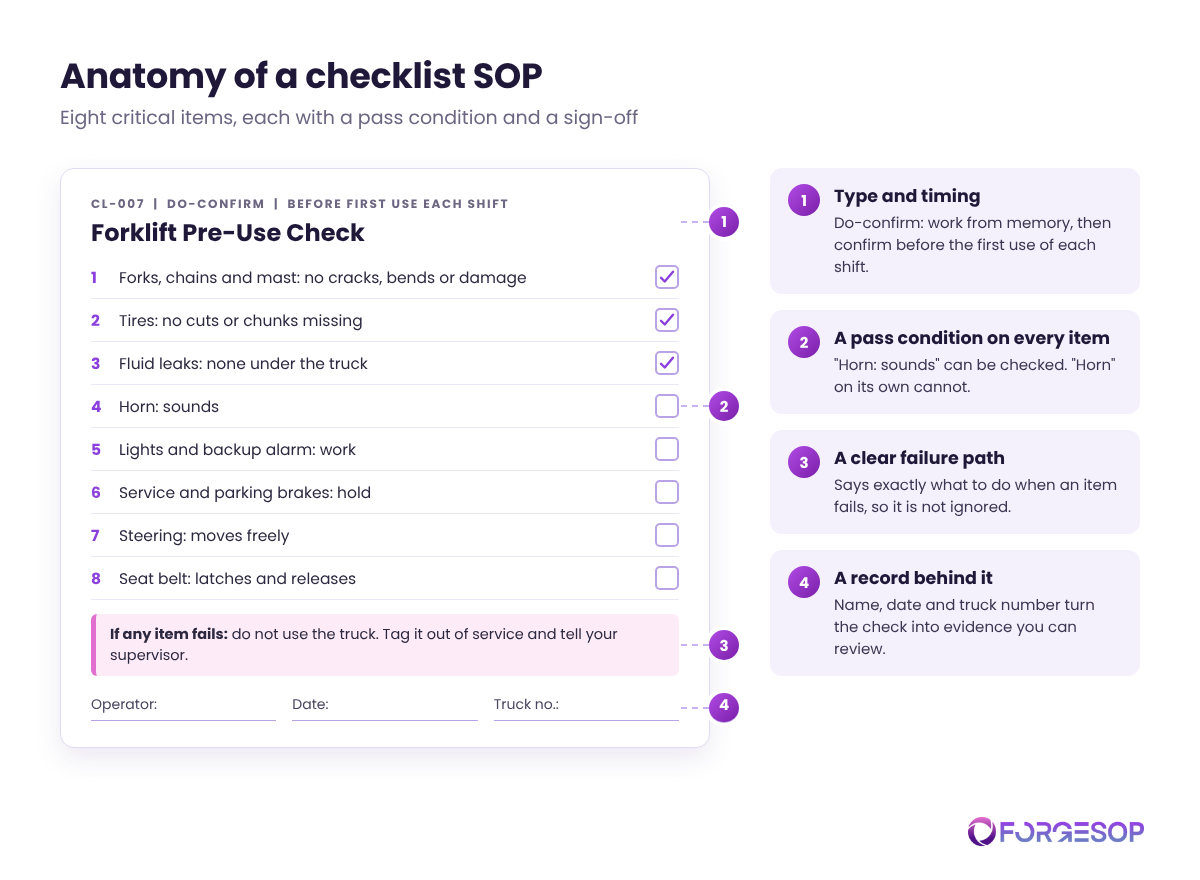
CL-007: Forklift Pre-Use Check (do-confirm, before first use each shift)
# | Check | OK
|
|---|---|---|
1 | Forks, chains and mast: no cracks, bends or damage | ☐ |
2 | Tires: no cuts or chunks missing | ☐ |
3 | Fluid leaks: none under the truck | ☐ |
4 | Horn: sounds | ☐ |
5 | Lights and backup alarm: work | ☐ |
6 | Service and parking brakes: hold | ☐ |
7 | Steering: moves freely | ☐ |
8 | Seat belt: latches and releases | ☐ |
If any item fails: do not use the truck. Tag it out of service and tell your supervisor.
Operator: ______ Date: ______ Truck number: ______
Eight items, each with a pass condition, a clear failure path and a record of who checked what.
How to write a checklist SOP in 6 steps
Start from the full SOP. The checklist is a summary of an approved procedure, never a replacement for one.
Pick the critical items. Keep the steps that would cause harm or rework if skipped and that people actually skip. Drop the obvious.
Choose read-do or do-confirm. Rare or stressful tasks need read-do. Frequent tasks done by experienced people suit do-confirm.
Keep each pause point short. Five to nine items is a good target. Split a longer list into separate pause points, such as before start and before handover.
Write a pass condition for each item. "Horn: sounds" is checkable. "Horn" is not.
Add the failure path and a sign-off. Say exactly what to do when an item fails, then capture the name, date and equipment number.
A checklist is not a procedure
Checklists fail when they are asked to do too much, or too little:
Using a checklist to train. A new starter needs the full steps and the reasons behind them.
Making it too long. A 40-item list invites ticking without looking.
Writing vague items. "Check brakes" leaves the standard up to the reader.
Leaving out the failure path. A failed item with no instruction usually gets ignored.
Filing completed sheets in a drawer. Completed checklists are records. Review them for patterns, such as the same truck failing the same check every week.
Checklists also drift away from the SOPs they came from. Purpose-built SOP management software keeps each checklist tied to its parent procedure, so a change to one prompts a review of the other.
Which formats pair well with checklists?
Simple steps or hierarchical steps hold the full procedure behind the checklist.
A video SOP can teach the inspection the first time, before the checklist takes over.
See how all eight formats compare in our guide to types of SOP formats.
The bottom line
A checklist is the cheapest safety net in your SOP library. It takes minutes to complete, it catches the step that gets skipped under pressure, and it leaves a record behind.
Pick one high-risk routine task, pull out its critical points, and test a one-page checklist with the people who do the job.
Frequently asked questions
What is the difference between a checklist and an SOP?
An SOP explains how to do a task from start to finish. A checklist confirms that the critical steps of that task were done. A checklist should always point back to the SOP it was drawn from.
How long should a checklist be?
Short enough to complete at a natural pause in the work. Five to nine items per pause point is a common guide. Split longer lists into separate checks.
What is a do-confirm checklist?
A do-confirm checklist is used after the work, not during it. The person does the task from memory, then stops and confirms each item was done. It suits experienced people doing frequent tasks.
Want every SOP in one place, whatever its format? ForgeSOP keeps your procedures versioned, acknowledged, and reviewed on schedule, so the steps people follow are always the current ones.
General

Forge better processes
One platform. Always audit-ready.
Bring SOPs, checklists, audits, incidents, and CAPAs into one connected system for safer, clearer, and more consistent operations.
No credit card required · Built for teams that run on process