General
Back to Blog
General5 min read
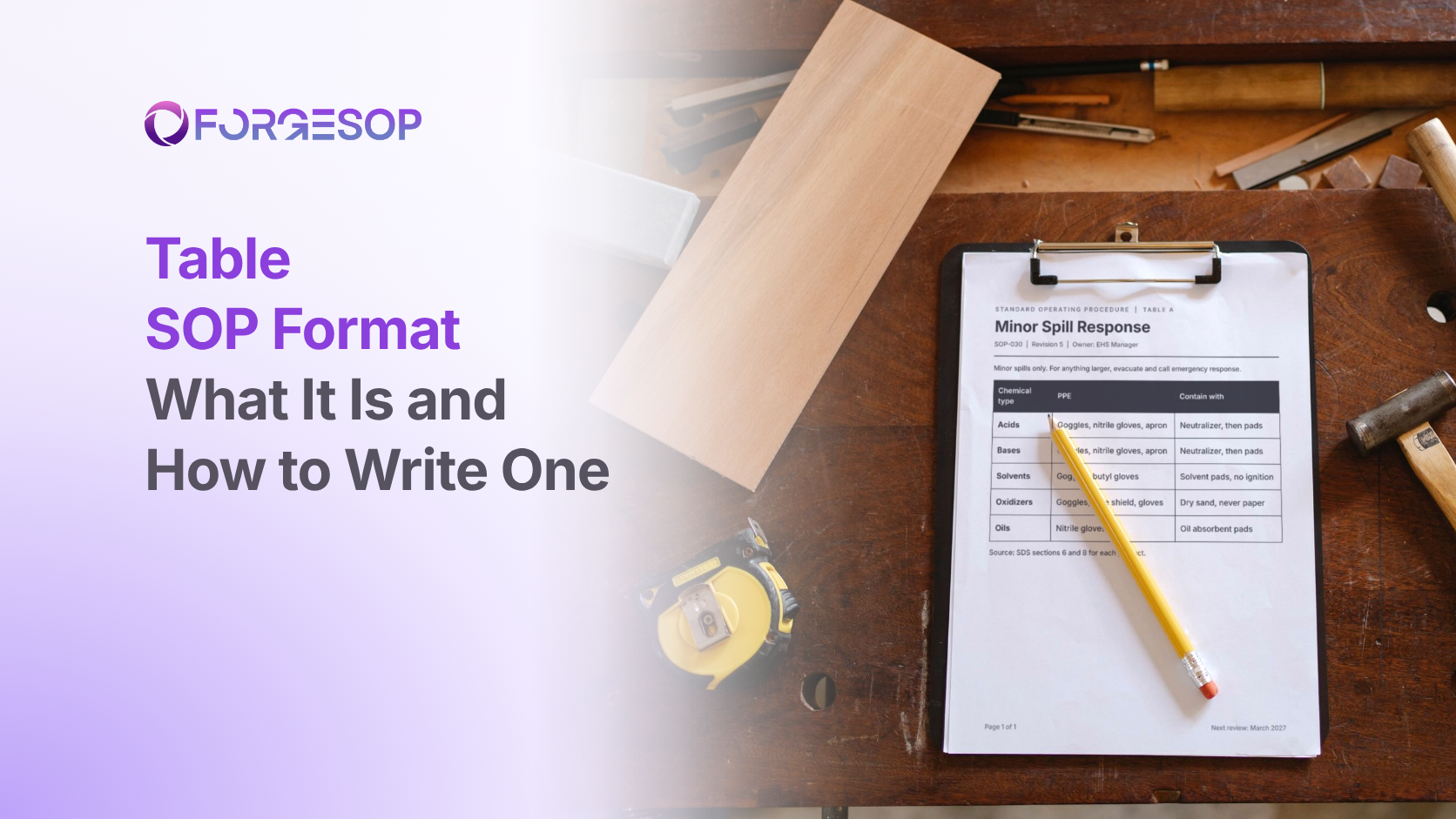
Table SOP Format: What It Is, an Example, and How to Write One
Picture a spill procedure written as prose. "If the spill is an acid, use the neutralizer, unless it is a strong oxidizing acid, in which case use the inert absorbent, and for solvents remove all ignition sources first, except..." By the third clause, the person holding the mop has stopped reading.
They don't need the whole document. They need their row.
That is what the table format gives them. It is one of the eight types of SOP formats, built for procedures that answer the same question for many different cases. In this article, we cover what a table SOP is, when to use one, a worked example and how to write one in six steps.
Key takeaways
A table SOP arranges a procedure in rows and columns, so readers find their own row instead of reading the whole document.
The two main kinds are role and action tables, which show who does what, and decision tables, which pair each condition with a response.
Use a table when the same few questions apply to many cases, such as chemicals, alarms, roles or amounts.
Keep it to four or five columns, one action per cell, and tie its review to the sources it draws on.
What is the table SOP format?
The table format lays out a standard operating procedure (SOP) as a grid. The first column holds the thing that varies: a chemical type, an alarm code, a role or a purchase amount. The other columns hold what to do about it.
There are two common kinds:
Role and action tables, sometimes called playscripts, list each step with the person responsible. They make it obvious who acts and when.
Decision tables pair each condition with a response. They replace long chains of "if this, then that" with a single lookup.
Tables have one more advantage that prose doesn't. An empty cell shows you a situation nobody has planned for.
When should you use the table format?
Use a table when the same questions apply to many cases. Good examples include:
spill response by chemical type
personal protective equipment (PPE) by task
storage rules by hazard class
alarm responses by alarm code
approval limits by purchase amount
retention periods by record type
PPE is a classic case. The Occupational Safety and Health Administration (OSHA), the US workplace safety regulator, requires employers to assess workplace hazards to select PPE and to certify that assessment in writing. Many sites turn the result into a PPE-by-task table that workers can actually use on the floor.
Choose something else when the task is a long sequence with no variation, which suits simple steps, or when the answer depends on a chain of yes or no questions, which suits a flowchart.
Table SOP example
Most of what goes into a chemical table already exists. Every safety data sheet (SDS) follows a fixed 16-section layout set out in OSHA's Hazard Communication Standard. Section 6 covers accidental release measures, section 7 covers handling and storage, and section 8 covers exposure controls and personal protection.
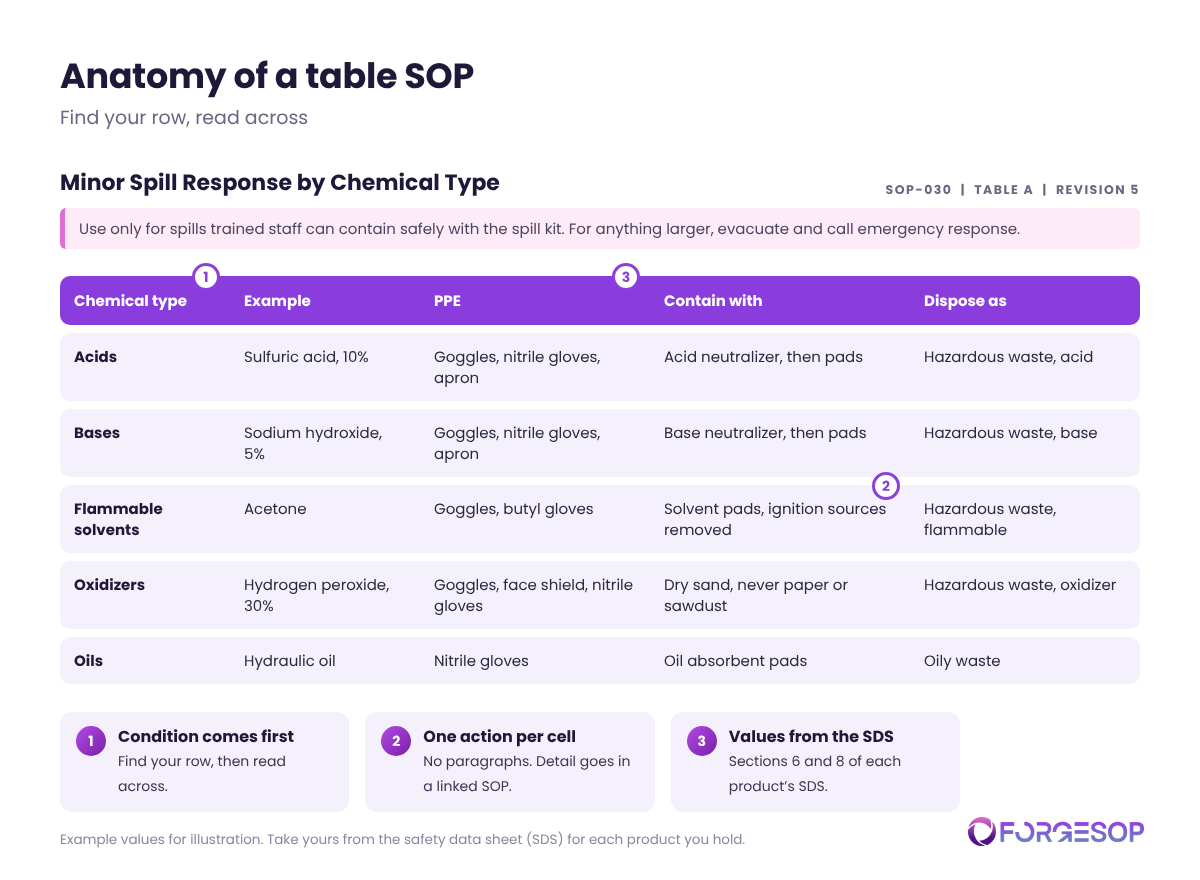
SOP-030, Table A: Minor Spill Response by Chemical Type
Use this table only for spills that trained staff can contain safely with the spill kit. For anything larger, evacuate and call emergency response.
Chemical type | Example | PPE | Contain with | Dispose as
|
|---|---|---|---|---|
Acids | Sulfuric acid, 10% | Goggles, nitrile gloves, apron | Acid neutralizer, then absorbent pads | Hazardous waste, acid |
Bases | Sodium hydroxide, 5% | Goggles, nitrile gloves, apron | Base neutralizer, then absorbent pads | Hazardous waste, base |
Flammable solvents | Acetone | Goggles, butyl gloves | Solvent pads, with all ignition sources removed first | Hazardous waste, flammable |
Oxidizers | Hydrogen peroxide, 30% | Goggles and face shield, nitrile gloves | Inert absorbent such as dry sand, never paper or sawdust | Hazardous waste, oxidizer |
Oils | Hydraulic oil | Nitrile gloves | Oil absorbent pads | Oily waste |
The values above are illustrative. Take yours from sections 6 and 8 of the SDS for each product you actually hold.
How to write a table SOP in 6 steps
Pick one question. One table should answer one question, such as "how do I clean up this spill?" A table that tries to answer three becomes a spreadsheet nobody reads.
List every case as a row. Use a complete set, such as every hazard class you store or every alarm code on the panel.
Choose three to five action columns. Ask what the reader needs to know to act, and nothing more.
Fill the cells from your sources. Use the SDS, your hazard assessment, your approval policy or the equipment manual, and note the source in the SOP.
Hunt for empty cells. Each blank is a case nobody has planned for. Decide what happens, or mark it plainly, for example "not stored on site".
Make it usable where it is read. Repeat the header row on every page, print it landscape if needed, and post a laminated copy at the point of use.
A table is only as current as its sources
Tables fail quietly. The most common mistakes are:
Too many columns. Past five, the table stops fitting on a page or a phone screen.
Paragraphs in cells. If a cell needs three sentences, the action belongs in a linked procedure.
Rows that drift from the source. A supplier revises an SDS, the recommended gloves change, and the table still lists the old ones.
No owner. Nobody notices the drift because nobody is responsible for the table.
Tie the table's review to the documents it draws on, so a revised SDS prompts a check of the matching row. Purpose-built SOP management software keeps the table under the same owner, version history and review schedule as the procedure it belongs to.
Which formats pair well with tables?
A flowchart decides whether a spill is minor, then hands the reader to the table for the cleanup details.
A checklist confirms the key steps were done once the work is finished.
For a comparison of all eight, see our guide to types of SOP formats.
The bottom line
When a procedure keeps saying "if this, then that, unless", it wants to be a table. A good table turns a confusing paragraph into a two-second lookup and shows you the gaps in your planning.
Find the one procedure on your site that people always ask about, and try rebuilding it as rows and columns.
Frequently asked questions
What is a playscript SOP?
A playscript is a table SOP that lists each step alongside the role that performs it, like lines in a script. It suits tasks shared between several people, such as approvals and handovers.
What is a decision table in an SOP?
A decision table pairs each condition with the response to it, such as each chemical type with its spill cleanup method. It replaces long chains of "if" statements with a single lookup.
How many columns should a table SOP have?
Four or five at most. More than that becomes hard to read on paper or on a phone. Move extra detail into a linked procedure.
Want every SOP in one place, whatever its format? ForgeSOP keeps your procedures versioned, acknowledged, and reviewed on schedule, so the steps people follow are always the current ones.
General
Forge better processes
One platform. Always audit-ready.
Bring SOPs, checklists, audits, incidents, and CAPAs into one connected system for safer, clearer, and more consistent operations.
No credit card required · Built for teams that run on process